[HTML version](https://homehero.pro/docs/advanced-usage/) · [All Markdown pages](https://homehero.pro/markdown-index.md)
Use tags across rooms, search by name or #tag, share items and locations, make a PDF inventory report, and export your inventory as JSON.
---
# Tags, search and sharing
## Tags
Tags group things across rooms: *Valuable*, *Under warranty*, *Box 7*, *Lent to Sam*. You can tag items and locations, as many as you like. Each tag name is unique, and a tag can have a description.
Add tags on an item's page, or manage all of them in **Settings → Tags**, where you can rename, describe or delete them. Tap a tag to search for everything that has it.
## Search
There are two places to search. Both match names, ignore upper and lower case, and skip notes and custom fields.
The search box in Browse filters whichever tab you're on (items, locations, tasks, images or files) as you type.
The Search screen finds items and locations, and it understands tags:
- `lap` finds *Laptop* and *Laptop stand*.
- `#valuable` shows everything tagged *Valuable*.
- `#"under warranty"` works for tags with spaces.
- `#kitchen #garage` shows things with either tag.
- `#valuable camera` shows things tagged *Valuable* with *camera* in the name.
## Sharing
Share an item or a location from the share button on its page. You need an account, and the item has to be [synced](https://homehero.pro/docs/sync-and-offline/). Share it with everyone and anyone with the link can see it, no account required. Share it with an email address and HomeHero sends that person an invitation.
Shared things are read-only. Someone with an account can choose **Import to my account** to get their own copy. An item comes with its fields, item type, photos and files. A location link shares the location itself (its name, description and photo), not the items inside it. To open a link someone sent you, use *Create → Import shared object*.
If your household wants to work on one inventory together, sign in to the same account on each device. Separate accounts can't edit a shared inventory yet.
## Inventory report
The inventory report is a PDF of your inventory, made on your device. Open it from **Settings → Inventory report**, from **Settings → Account**, or with the PDF button on a location's page, which starts with just that location.
Choose what goes in on the left. **All locations** takes everything, and **Items without a location** covers the rest. Ticking a location brings in everything inside it. The closest choice wins, so you can untick House and tick House › Kitchen to get only the kitchen. A half-filled box means some of the items below it are in.
Fine-tune on the right. Untick an item to leave it out, or search the whole inventory to add one from somewhere else. These choices stay when you change locations, and the list marks them Added or Removed. Pick A4 or Letter and whether to include photos, then **Create PDF**.
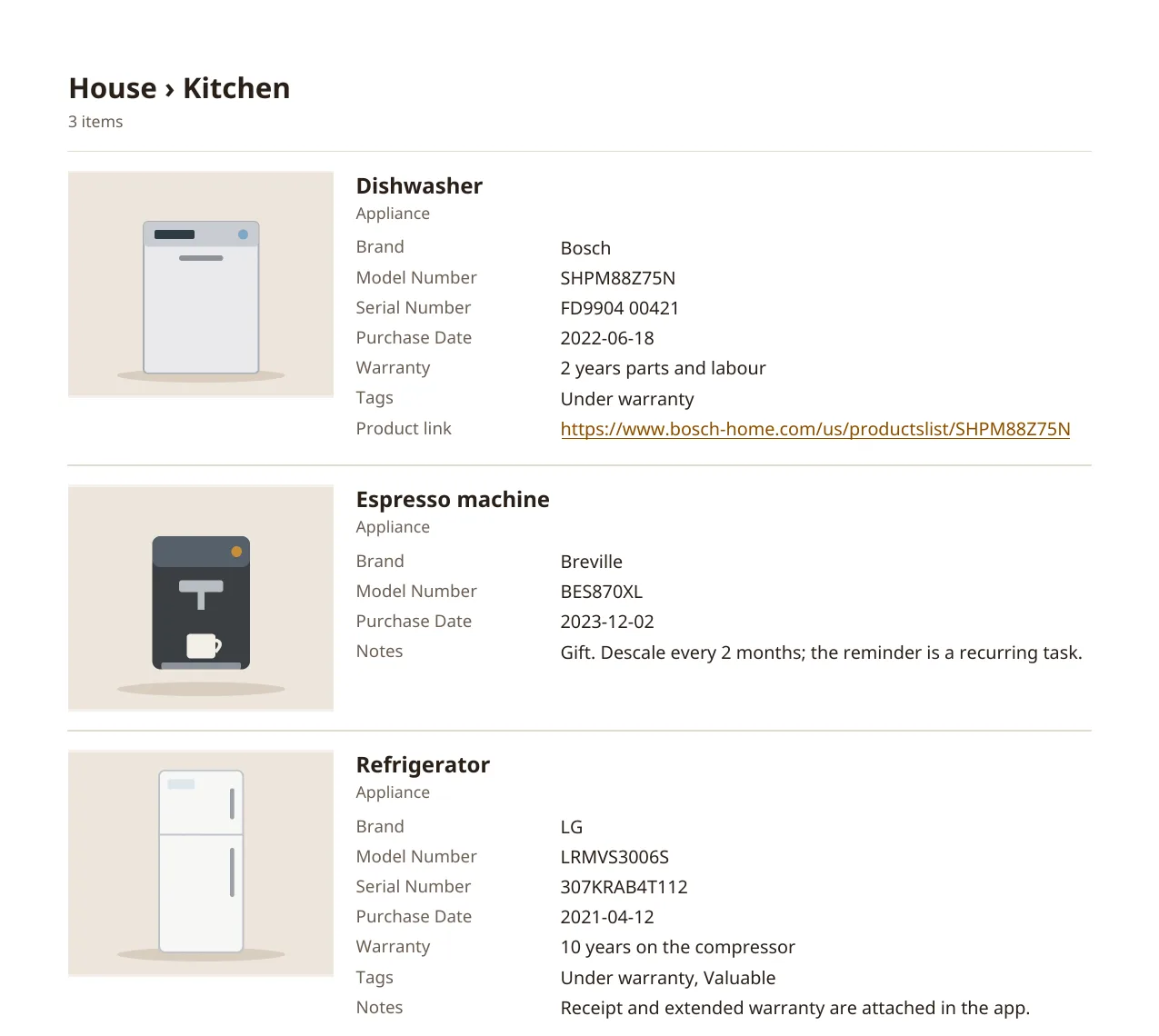
A page from a report: one location, with each item's photo beside its details.
The report starts with a summary of the locations and item counts. Each location then gets its own pages, with its full path at the top. Every item shows its main photo, name, type, your fields, tags, product link and notes. Anything too long for the item's block carries on below it, so nothing is cut off.
Photos saved on the device are used first. If you're signed in, photos that are only on our servers are downloaded. A photo HomeHero can't read, such as a HEIC file, shows as "Photo unavailable", and the summary page says how many there were. Photos in the report are scaled down, and their location data is removed.
On Android and Linux you choose where to save the PDF; HomeHero doesn't ask for storage or photo permissions. In the web app it downloads like any other file. The report uses Latin, Greek and Cyrillic letters, so emoji and Chinese or Japanese text won't show in it.
## Export
**Settings → Account → Export data** downloads one JSON file, named something like `homehero-export-20261031-120000.json`. It has your locations, items (with their fields, tags and product URLs), item types and tags, and it works with or without an account.
The export is a readable record of item details. It isn't a backup. Photos, file contents, tasks and your property details aren't in it, and HomeHero can't import it back. Keep copies of important receipts and photos somewhere else, or use [Sync](https://homehero.pro/docs/sync-and-offline/) to keep a copy on our servers.
## Frequently asked questions
### Can I search notes and custom item fields?
No. Browse filters names in the current tab. The Search screen finds items and locations by name and supports tags such as `#valuable`; it does not search notes or custom fields.
### How do I make a PDF home inventory?
Open Settings → Inventory report, select locations or items, choose A4 or Letter and create the PDF. It is made on your device and is available on every plan. Photos stored only on the server must be downloaded first.
### Is the JSON export a complete backup I can restore?
No. It records item details, locations, item types and tags, but excludes photos, file contents and tasks, and cannot be imported back. Keep separate copies of important documents.